
Help people find their people.
Turn the groups in Planning Center or Pushpay / CCB into a welcoming, easy-to-explore display. Help visitors discover a community and take their next step.
Group widgets are supported for Planning Center and Pushpay / CCB. Features vary by integration.Make belonging easier to discover.
Put the essentials first
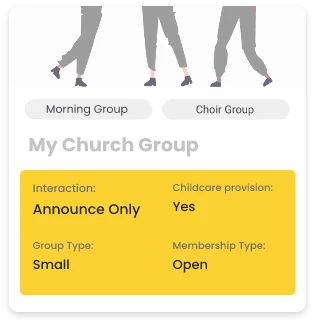
Use information badges and tags to help people find a group that fits.
Make joining easier
Customize calls to action so visitors can find the next step.
Share beyond your website
Embed your group display, share its hosted page, or promote it with a generated QR code.
The essentials, before the next click.
Bring the groups you manage in Planning Center or Pushpay / CCB into a display that helps visitors understand where they might belong.
- Highlight key details with up to two information badges.
- Use available tags to make group information easier to scan.
- Add up to two calls to action with text that fits the next step.
On your website. In their hands.
Keep one connected group display and share it through the places your community already uses.
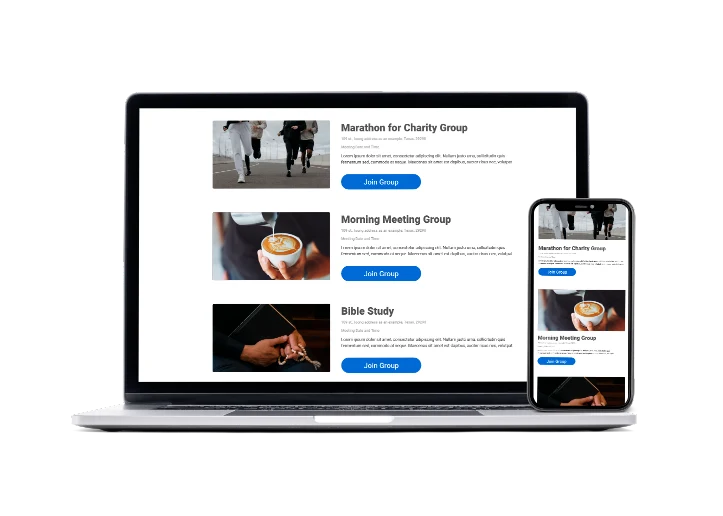
- Embed a group display on your church website.
- Share its hosted page through email, text, or social media.
- Use the generated QR code on printed materials.
Thoughtful tools.
Less work for your team.
Connected group details
Manage group information in your source and refresh it through scheduled or manual syncing.
Your church identity
Customize typography, colors, imagery, and the details shown in your group display.
More ways to browse
Explore cards, simple list, mosaic, and outlined examples in the group demo directory.
A clear next step
Use the links and actions supported by your integration to help visitors respond.
Connect. Customize.
Share with your church.
Connect your source
Connect Planning Center or Pushpay / CCB to bring in your group information.
Make it feel like you
Choose your display options, refine the content, and customize the design.
Put it in front of people
Embed your display on your website or share the hosted link where supported.
Choose your connection.
Check the supported source and find the setup guidance for your church.
Loved by real churches
AMAZING! I love how responsive you are to requests. This app has become a HUGE life and time saver for me as I’m currently redesigning our website.

The old system definitely worked, but when we decided to create a new website, we wanted to do it in a way that worked seamlessly with CCB, which is where so much of our data already lives.

It’s working well for us. Have it integrated to our WordPress website and it’s already saving time and ensuring seamless data integrity with our CCB events and forms.

Which integrations support groups?
Group widgets connect to Planning Center and Pushpay / Church Community Builder. Breeze and Google Calendar are calendar integrations.
Can I share a group display without embedding it?
Yes. Share the hosted page or use the generated QR code to bring people to your group display.
Can I change the information people see?
You can customize the display’s design, badges, tags, and calls to action using the information available from your connected source.