
Make the next step easy to find.
Bring your Planning Center registration forms into a clear, inviting display. Help people find the right form without hunting through event pages.
This sign-up display connects to Planning Center. Visitors complete registration through the linked form.Put the right form within reach.
Show the right forms
Filter Planning Center forms by free, featured, open, or closed status.
Highlight important opportunities
Add a customizable featured badge to draw attention to a form.
Choose what people see
Customize images, titles, descriptions, colors, and typography.
Give sign-ups a place of their own.
Help visitors find a registration or response form directly, including opportunities that are not attached to a particular event.
- Connect the forms managed in Planning Center.
- Mix free, featured, open, and closed form filters.
- Point visitors to the linked form to complete registration.
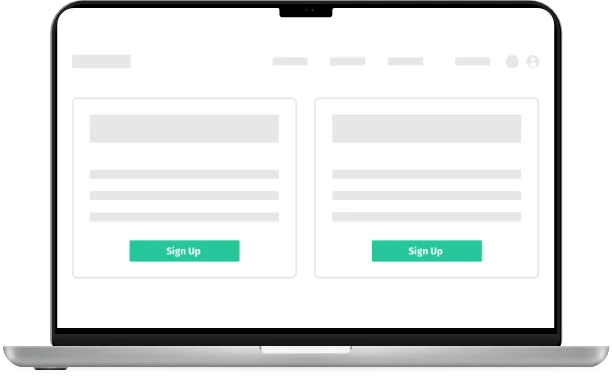
A clearer choice. Less searching.
Build a display that gives each opportunity the right amount of attention, without making every form look equally important.
- Add a customizable featured badge.
- Choose an image, a graphic, or a custom color.
- Show or hide titles and descriptions to suit your page.

Thoughtful tools.
Less work for your team.
Planning Center connected
Keep managing form information in Planning Center instead of entering the same details on your website.
Your design choices
Customize colors and typography so the form display fits the surrounding page.
Scheduled or manual refresh
Keep the display connected through your plan’s sync schedule, or trigger a manual update.
A focused display
Choose the form statuses and information that belong in each sign-up view.
Connect. Customize.
Share with your church.
Connect your source
Create your Display.Church account and connect Planning Center.
Make it feel like you
Choose your display options, refine the content, and customize the design.
Put it in front of people
Embed the form display and guide visitors to Planning Center to complete registration.
Choose your connection.
Check the supported source and find the setup guidance for your church.
Loved by real churches
It has saved us time by being able to enter the data once, probably around 5 hours each week on the whole.

It’s working well for us. Have it integrated to our WordPress website and it’s already saving time and ensuring seamless data integrity with our CCB events and forms.

Jason,Our church staff are throwing parties every time I mention Display.Church! HUGE help for us thus far!

Which integration does this use?
The sign-up form display connects to Planning Center. This page does not promise support for other form providers.
Where does registration happen?
Visitors follow the linked Planning Center form to complete their registration. Display.Church helps them find the right form.
Can I feature only certain forms?
Yes. Combine supported form filters and use the customizable featured badge to highlight important opportunities.