SOLUTIONS FOR… Large Churches
Chances are, with all your ministries and groups, you’ve got a lot of things happening at your church. Why not focus people’s attention on what’s happening at each one?
Here’s how you can use Displaychurch.events filtering to easily create web pages for each of your ministries and/or small groups (depending on your integration).
 How Does It Work? Start Free Demos

“Hey Jason! Thanks for the quick response! I am working on making a filtered calendar of only women’s events for the women’s page of our church website. Upon checking this morning it seems to be working fine now. 🤷🏻♂️ So far loving the product! It is exactly what I have been looking for over 2 years now!”
Chad George
New Heights Bentonville
Sermons
Make your sermon time even more effective. Use texting before, during and after your sermon to increase interest, raise your attendance and improve your follow-up.
-
Poll sermon attendees for feedback of your current sermon.
-
Open up the floor for Q&A via text-deal with them immediately or follow-up later.
-
Announce the phone number + keyword opt-in for first-time guests.
-
Inform your audience of how to opt-in to any current/future special events or projects- Christmas/Easter programs, VBS, volunteer projects, church drives, etc.
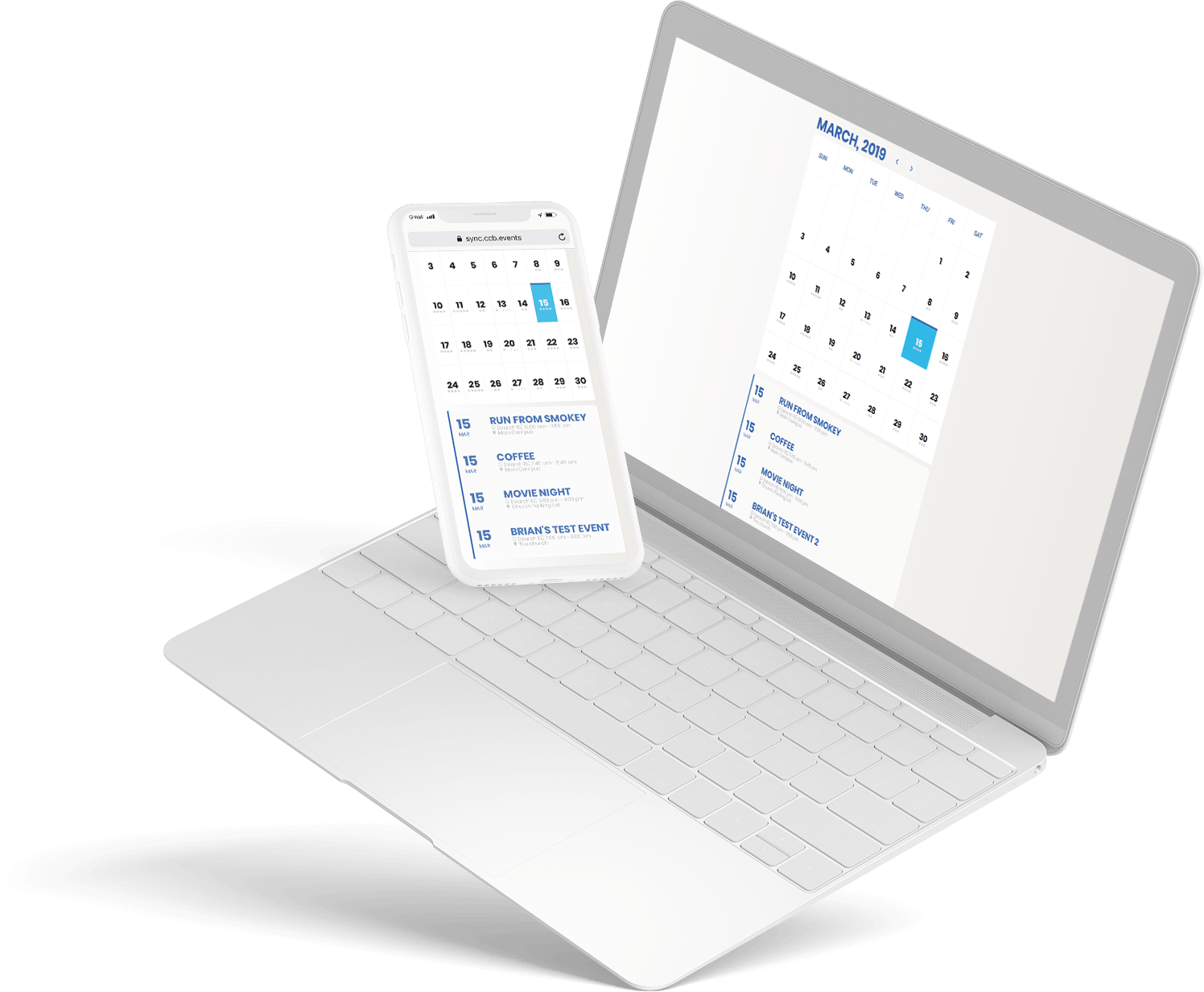
Your solution is Displaychurch.events.
You have already created events and small groups on Breeze, Church Community Builder, Google calendar, and/or Planning Center. This may include event schedules and registration forms.
Integrate with Displaychurch.events (DCE) to quickly and easily build beautiful web pages – no coding required!
Important features for today’s ministries
Displaychurch.events calendar views look professional AND beautiful.

Typography
Choose the font type, weight, and size for each
major element to ensure it matches your website. 
Colors & Layout
Choose the colors and calendar layout type to match your specific needs.
Integration and set up takes minutes…and your calendars are automatically kept up-to-date.
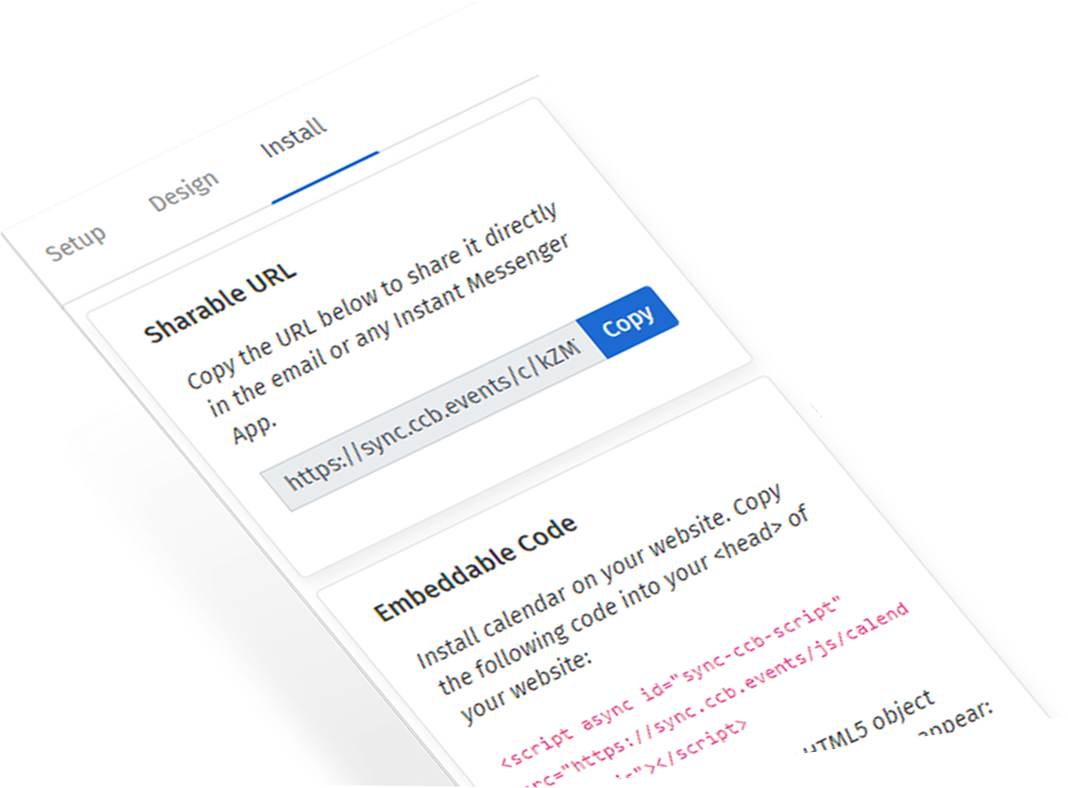
No Coding
Set up a calendar view in 5 minutes or less. No coding required. A one-time add of one line of script to your website enables the views to work.

Automatic Syncing
We will ensure your calendar is always updated. We update calendar views once or twice per day (according to your plan) or you can push unlimited changes from within the app.
Your calendar views meet your congregation on whichever device they are using.
Responsive Design and Mobile App Ready
Our calendar views work on the most modern websites and respond nicely on all devices. Your people can see your calendar views via their desktop and mobile browsers. Even more exciting is that you can meet your ministry on their phones via our mobile app.

And Tons more…
Setup Design Events Install Setup
Responsive format
Our calendar view works on the most modern websites and responds nicely on all devices.
Multiple Views
Choose from full calendar, events list, and weekly view. The weekly view has several options such as list, pills, slider, and stacks.
More views on the way! Read More
Automatic & Manual Syncing
Automatic: We will ensure your calendar is always updated. Depending on your plan, updates happen once a day
(3 am UTC or 4AM UTC depending on plan) or twice a day (12 am and 12 pm UTC).
Manual: You can always push unlimited changes from within the app.
Read More Design
Typography
Choose the font type, weight, and size for each major element to ensure it matches your website.
Colors & Layout
Select the colors and calendar layout type to match your specific needs. Calendar layout types include full calendar,
the next upcoming event, agenda layout, etc. Read More
Themes
Want to keep all your calendars looking consistent? Use our cloning option to create one theme and apply it to
many calendars. Read More
Extremely user friendly
Besides its intuitive format, we’ve built in some help.
Working with a design feature you are not sure about?
Spotlight: Click on the eye icon for a tooltip about this feature.
Link: Click on this icon for the relevant help desk article.
Read More Events
Share link(s)
Send people to sites/web pages with more information by sharing the URL(s) to a particular event.
Lots of display options
We pull in all your events from CCB. You decide how to display them:
- Show all the events, just future
events, infinite events
- Option to filter by campus, by group
Read More
RSVP-Track public vs private events
Separate events into public vs private events. In other words, those happenings which are open to all and those
which are by invitation only.
To keep things clear, you can label the forms and action buttons accordingly.
Read More
RSVP-CCB RSVP Forms
Who’s coming? Keep track with RSVP forms. Choose between a simple “yes/no/maybe”
reply and registration via a form which links to CCB.
Read More
Export
Export events to a calendar app.
Examples:
- Google Calendar
- an ICS file-supported by most of the calendars like Apple
Read More Install
No Coding
Set up a calendar view in 5 minutes or less. No coding required. Use our shareable URL or do a one-time embed (addition) of 1 line of script to your website.
Works on multiple websites
Embed your calendar(s) and/or event list(s) as needed on websites and webpages. 
Our Full Features, For Free!
If you Sign Up today, we will give you an Extra 15 Days to try it out free!
(45 days instead of 30)
Invite code = PCO
Demo Examples

Cards (Grid) View

Cards (List) View

Weekly View
Real Clients

I just wanted to hop on here and say thank you for all your hard work. Displaychurch.events has been an awesome resource!
Daine Bean
Young Families Pastor at Life360 Chesterfield

I can vouch for [DisplayChurch.Events] as a great resource for your website. It should work on most websites because you just copy and paste a code.
Cecillia Fountain
Centerpoint Church

Hey there – I got around to testing this and it seems to work fine for me. …I’ve also implemented the new campus and group filtering. Very much awesome, man.
Matt D.
Calvary Church

We love the way [our events are] now being displayed on our website and mobile apps. We just update the events in CCB calendars, and DCE updates the events everywhere.
Brother Suresh Rajadurai
Bread of Life Church

AMAZING! I love how responsive you are to requests. This app has become a HUGE life and time saver for me as I’m currently redesigning our website.
Sabrina Massa
Administrative Assistant

It has saved us time by being able to enter the data once, probably around 5 hours each week on the whole.
Katie Ballard
Assistant to Operations at Grace Fellowship Church

The old system definitely worked, but when we decided to create a new website, we wanted to do it in a way that worked seamlessly with CCB, which is where so much of our data already lives.
Nicole
Communications Director at Arbor Road Church

It’s working well for us. Have it integrated to our WordPress website and it’s already saving time and ensuring seamless data integrity with our CCB events and forms.
Bob Gluck
Finance Director, CPA

Hey Jason! I am working on making a filtered calendar of only women’s events for the women’s page of our church website. So far loving the product! It is exactly what I have been looking for over 2 years now!
Chad George
New Heights Bentonville

Jason,Our church staff are throwing parties every time I mention Display.Church! HUGE help for us thus far!
Joel Jimenez
Comms. / Assoc. Worship Director at Church for the City
Pricing
With all our plans, you will get full access to all customization features!
*One-time licensing fee: $50 (same for everyone)
FAQ
How do you set up an integration?
In order to create a sync between your ChMS/Google and Displaychurch.events (DCE), you need to give DCE access to your data. You will need to have permission to do this. See full article.
Displaychurch.events looks very similar to EventOn. Is it the same? Different? What’s happening?
Displaychurch.events is licensing and integrating the visual components of EventOn-one of the most popular and well-supported calendar platforms. Many churches like this look and feel which is one of the reasons we chose it. Also, we decided not to reinvent the wheel. The EventOn platform has many things which work. We saw that we could build on that core look and feel, tweaking as needed for how our platform works.
Is this a WordPress plugin?
No, but it can work with WordPress websites. Displaychurch.events is a cloud-based solution which you can embed on any WordPress page to give you greater flexibility and increased compatibility with other apps and platforms.
Why is there a $50 set-up fee? What is that about?
As we mentioned in a previous FAQ, Displaychurch.events decided to focus on creating the integration, not the look and feel, so we don’t reinvent the wheel. Using the EventOn styling required a licensing agreement between EventOn and Displaychurch.events. The $50 fee allows you to participate in that license and other fees involved with setting everything up.
What’s the difference between single and multiple domains? And what about sub-domains?
A single domain installation is on one website (one unique domain name). However, sub-domains such as test sites do not count as other domains.
Who is behind Displaychurch.events?
Displaychurch.events = a joint venture between The Beaverhead LTD and Fluid Ministry LLC.Fluid Ministry, LLC are the creators behind other products including CCBChimp, CCBText, and now Displaychurch.events.
How can I start using Displaychurch.events?
There are three basic steps:
- Sign up and integrate your ChMS/Google account.
- Choose the calendar type you want. Customize the design.
- Embed the calendar on your website wherever you want it to be.
(The first time you do this, you will need to install the script in the header of your website.)
No coding!
Create beautiful, embeddable
calendars and group widgets
for your Church.
Works With: