We’ve quietly released a new feature that adds more flexibility to how events are displayed inside your widgets.
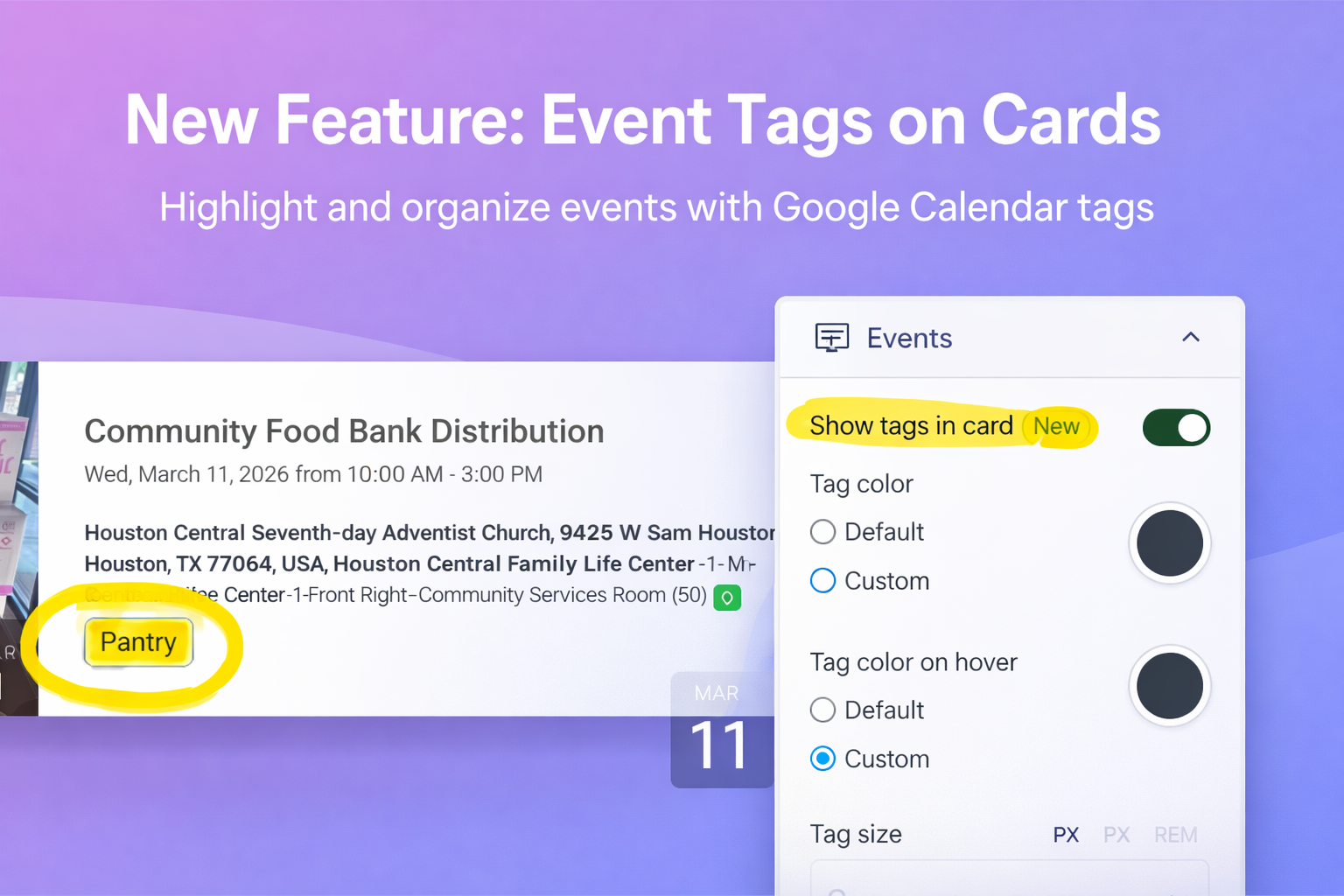
If you use Google Calendar with Display.Church, you can now show event tags directly on your event cards.
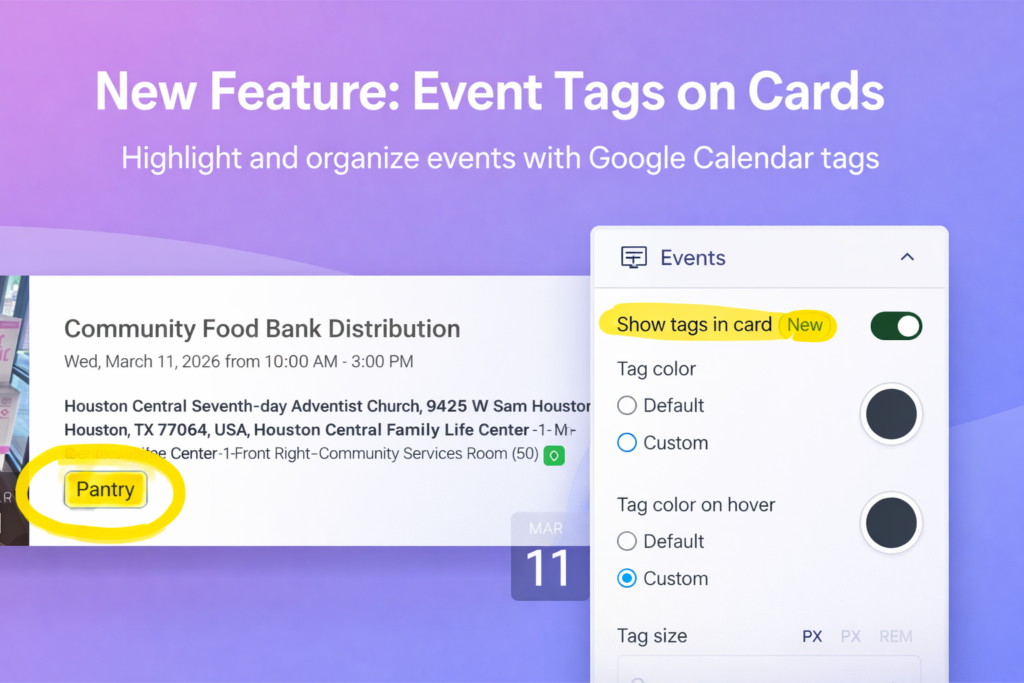
This new option is called “Show Tags in Card.”
Why This Matters
Many churches use tags in their Google Calendar events to organize different types of activities such as:
- Youth
- Bible Study
- Prayer Meeting
- Community Event
- Special Services
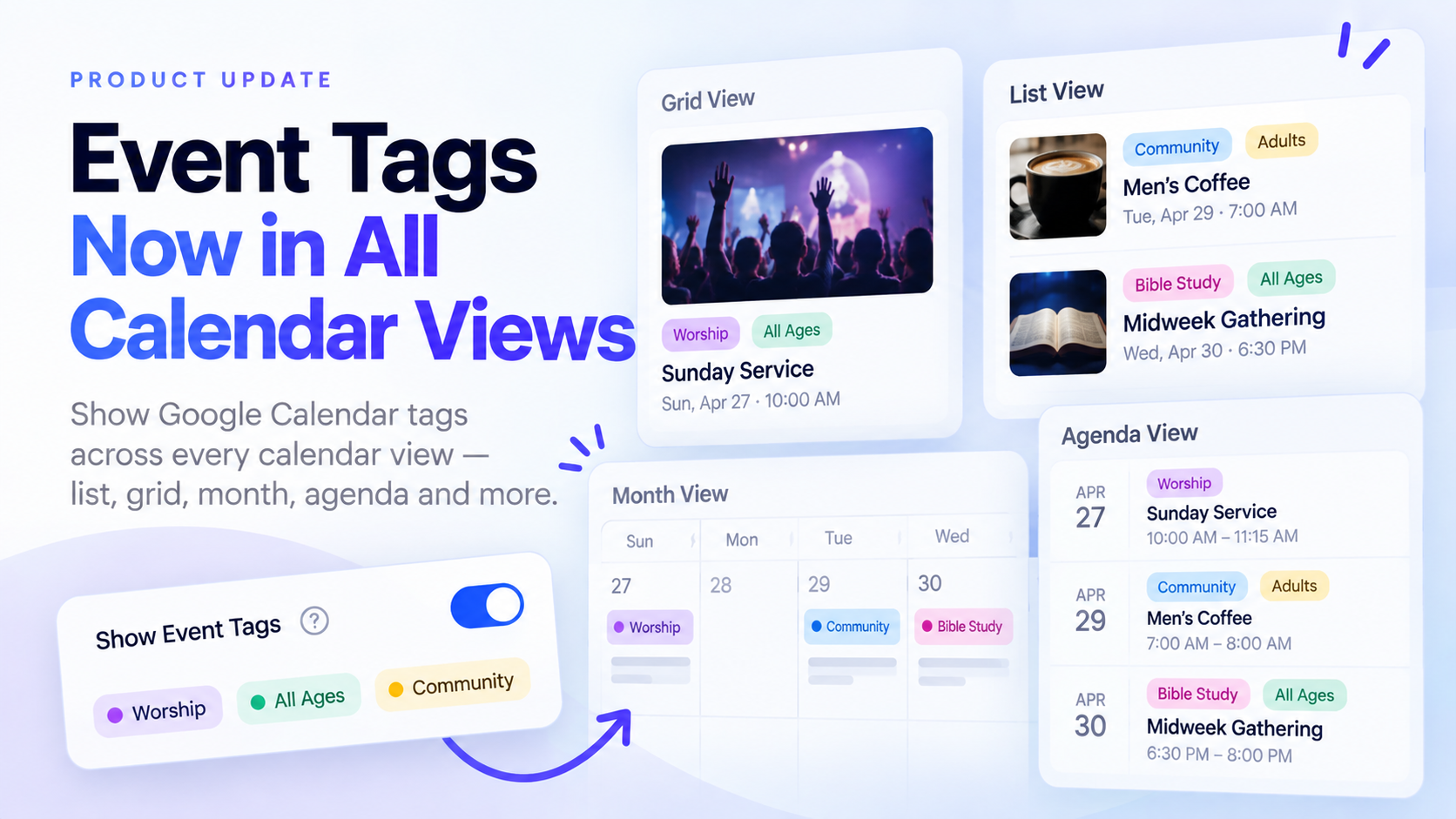
With this new feature, those tags can now appear visually on the event card, helping visitors quickly understand what each event is about.
Instead of relying only on the event title or description, tags provide a clear visual label that makes event browsing easier.
How It Works
Inside your Event Widget settings, you’ll now find a new option:
Show Tags in Card
When enabled, Display.Church will read the tags from your Google Calendar events and display them directly on the event cards.
This works with the following layouts:
- Cards List View
- Cards Grid View
Flexible Display Options
We’ve added several customization options so you can style tags to match your website.
You can:
- Display tags as plain text or pill-style labels
- Choose whether to show or hide the hashtag (#)
- Customize tag colors
- Customize hashtag colors
- Adjust spacing, size, and styling
- Configure hover styles
- Limit the number of tags shown (for example, show only the first 2–3)
- Exclude specific tags from appearing on cards
This gives you full control over how tags appear in your event widgets.
Important Note
Currently, tags displayed with Show Tags in Card only affect how tags appear on the event cards themselves.
They do not yet modify the tag display inside the event detail or list description view.
Built for Real Church Workflows
Many churches already organize their calendars with tags behind the scenes. This feature simply brings those tags into the visual experience for visitors.
It’s a simple improvement that can make event listings easier to scan and understand.
Try It Today
If you’re using Google Calendar with Display.Church, you can enable this feature immediately.
Go to:
Events → Widget Settings → Show Tags in Card
Turn it on and start customizing.