We’ve added a small—but powerful—update to Events → Detailed List that gives you more control over how event descriptions (summaries) appear on your site.
What’s New?
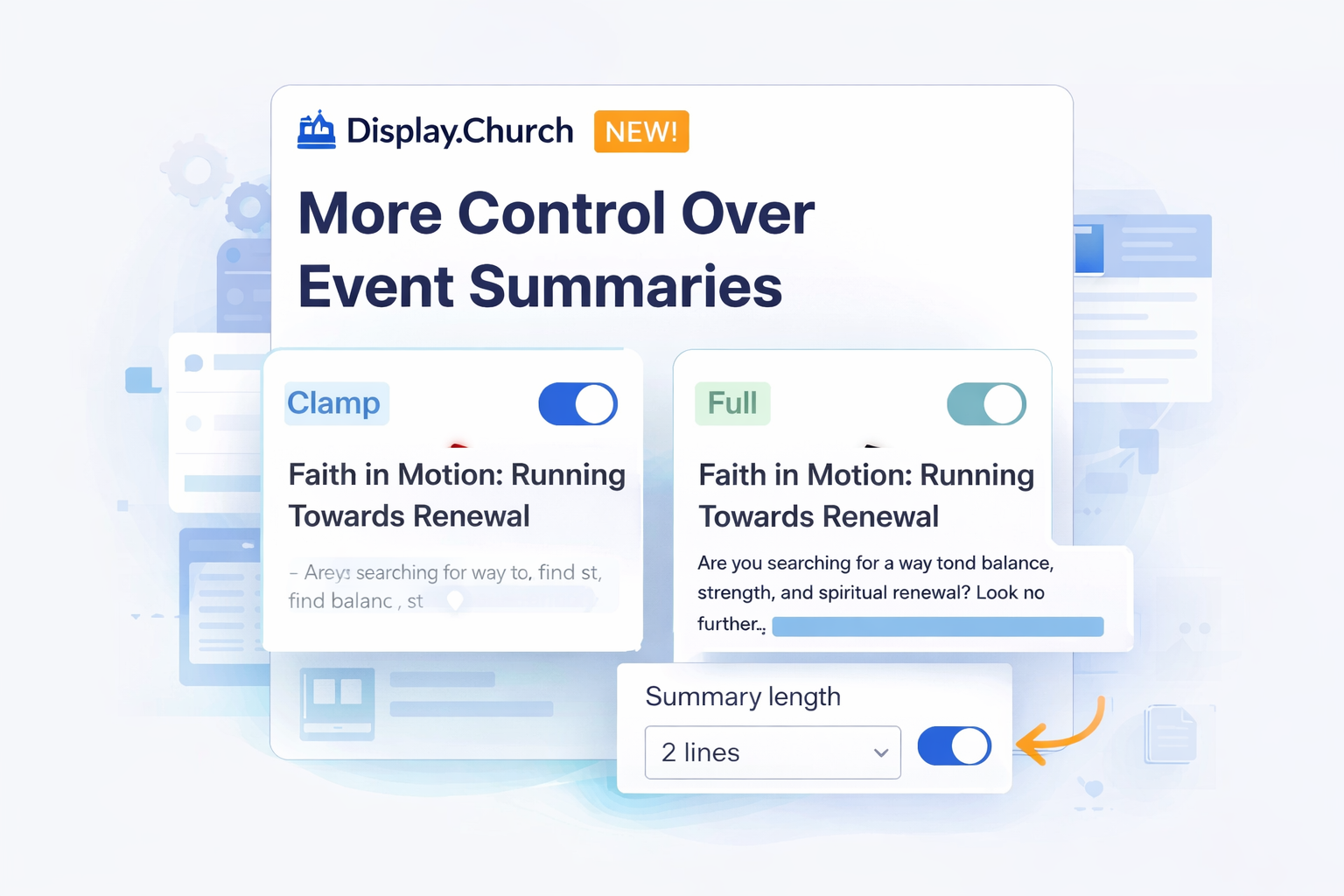
When Show Description is enabled for a detailed event list, you now have two ways to control how much of the event description is displayed:
1) Line Clamp (Default)
By default, summaries use Line clamp with 2 lines.
- Keeps layouts clean and consistent
- Prevents long descriptions from pushing content down the page
- You can increase the number of visible lines to show more text
Bonus improvement: When using line clamping, text is now clipped cleanly—so it won’t cut off tall characters (like g, y, or accented letters). This keeps summaries readable and visually polished.
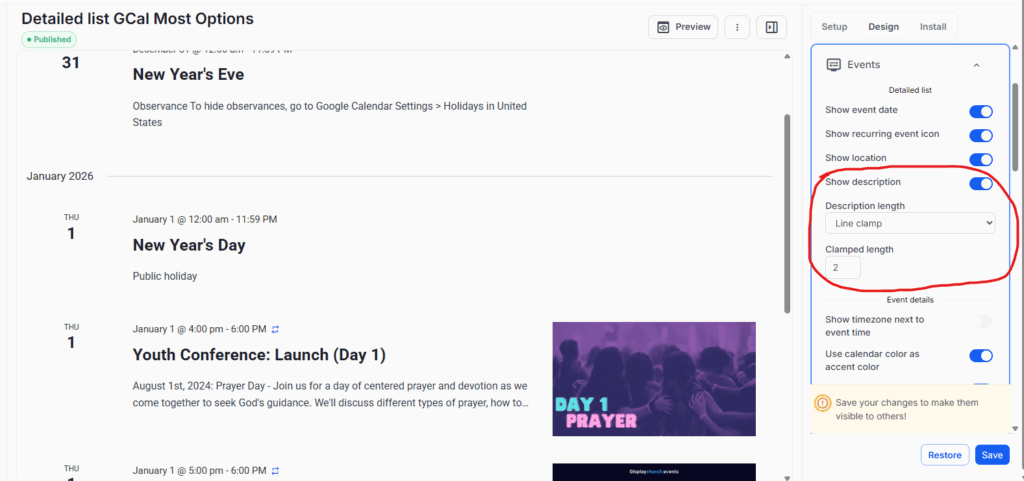
More Control Over Event Summaries in Detailed Lists
2) Full Description
Prefer to show everything? Switch Description length to Full description to display the entire event description with no truncation.
- Great for content-rich events
- Perfect for pages where details matter most
Where to Find This
You’ll find these options under:
Events → Detailed List → Show description
From there, you can:
- Toggle summaries on or off
- Choose Line clamp or Full description
- Adjust the number of visible lines when clamping is enabled
Why This Matters
This update gives you flexibility to:
- Keep event lists short and scannable
- Highlight important details without redesigning layouts
- Match the summary length to the context of each page
Tip: These controls are per-widget, so you can customize different event lists across your site.