Sometimes the best design choice is the simplest one.
That’s why we’re excited to introduce a new option in Display.Church email integrations:
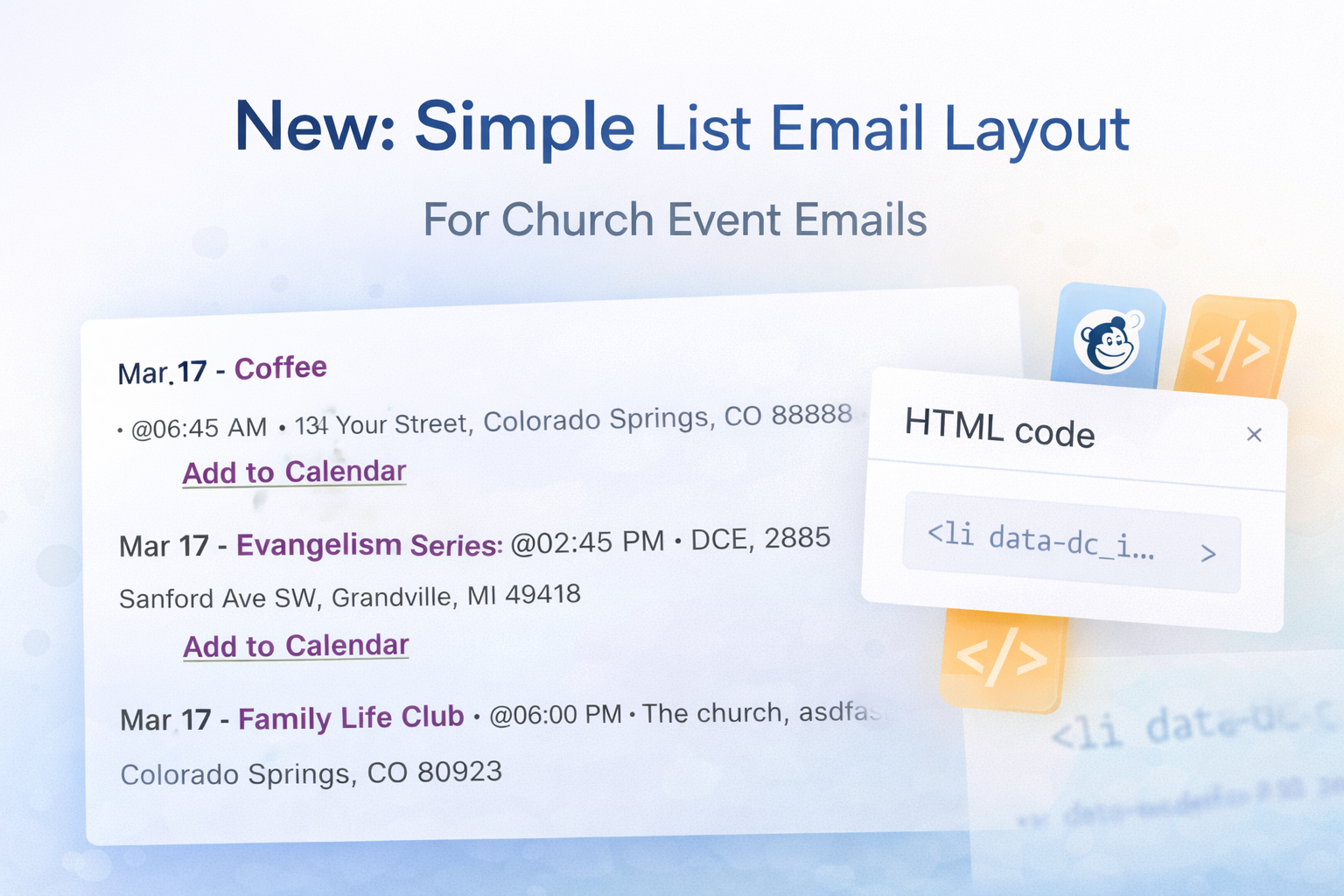
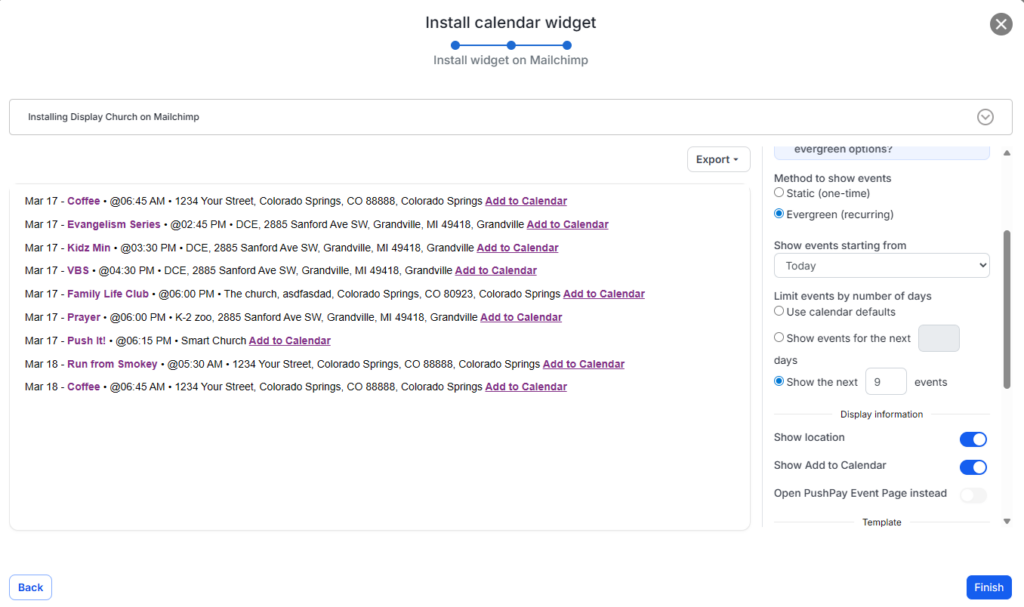
📝 New: Simple List Email Layout
This new layout gives churches a cleaner, more streamlined way to display upcoming events inside email newsletters.
Instead of a heavier visual layout, the Simple List format makes it easy for readers to quickly scan event details, find what matters, and take action.
Why We Added It
Church newsletters often include a lot of information.
When event sections become too visually crowded, readers may skip over them entirely.
The new Simple List Email Layout helps solve that by offering a more minimal presentation focused on clarity and readability.
It’s a great fit for churches that want to:
-
Keep newsletters clean and easy to scan
-
Highlight multiple events without overwhelming readers
-
Use a familiar “upcoming events” format
-
Improve readability on both desktop and mobile
What the Simple List Layout Includes
With the Simple List layout, your events are displayed in a compact, organized format while still keeping essential information visible.
Each event can include:
-
Event title
-
Date and time
-
Location
-
Short description
-
Read more link
-
Add-to-Calendar option (if enabled)
This makes it ideal for weekly updates, monthly newsletters, or any communication where simplicity matters.
A Better Fit for Many Church Newsletters
Not every email needs a highly visual design.
Sometimes a simple list works better—especially when:
-
You’re sharing multiple events at once
-
You want a lighter, less promotional feel
-
Your audience prefers quick updates
-
You’re combining events with other content like devotionals or announcements
The Simple List layout gives you flexibility without sacrificing clarity.
Works with Mailchimp and HTML Email Platforms
The Simple List layout works seamlessly with:
-
Mailchimp
-
ChurchBee
-
Constant Contact
-
Any HTML-based email platform
Just generate the layout, copy the code, and paste it directly into your email builder.
Evergreen and Static Options
You can use the Simple List layout in two ways:
Evergreen
-
Automatically updates with the latest events
-
Perfect for recurring newsletters
Static
-
Locks in a specific set of events
-
Ideal for special promotions or campaigns
Clean, Clickable, and Actionable
Even with a simpler design, your audience can still take action:
-
Click to view event details
-
Use “Read More” links
-
Add events directly to their calendar
This keeps your emails both lightweight and effective.
Start Using the Simple List Layout
If you’re already using Display.Church:
-
Go to your email template settings
-
Select Simple List
-
Copy the generated code
-
Paste it into your email platform
👉 Learn more about Display.Church
https://display.church